
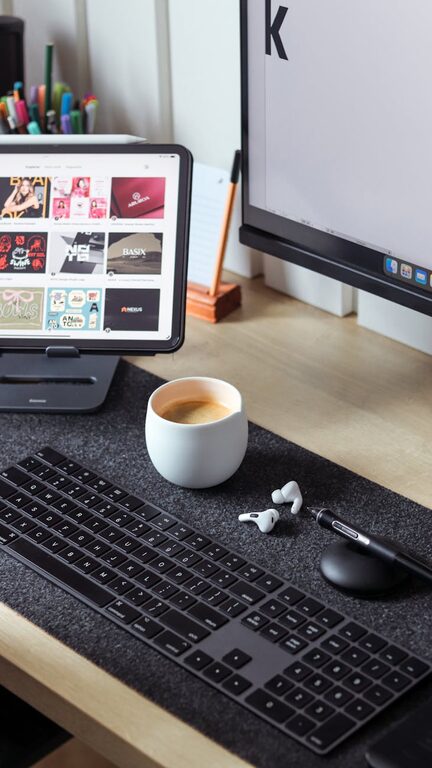
How to Clean Your Phone and Keyboard Safely and Effectively
Keeping your phone and keyboard clean is essential in today’s world. These everyday devices collect dust, oils, and germs, which can affect their performance and your health. Cleaning them properly can extend their lifespan and create a more pleasant user experience. However, because these gadgets are delicate, it’s important to use safe cleaning methods. This guide will walk you through step-by-step instructions on how to clean your phone and keyboard safely and effectively.
Why Clean Your Phone and Keyboard?
Our phones and keyboards are some of the most frequently touched objects we own. This constant handling exposes them to:
– Oils and sweat from skin
– Dust and dirt buildup
– Food crumbs and debris
– Bacteria and viruses
Regular cleaning removes these contaminants, which can help reduce the spread of germs and improve the responsiveness of devices. It also prevents buildup that might cause keys to stick or screens to look dull.
What You’ll Need
Before starting, gather the following supplies:
– Microfiber cloths (soft, lint-free)
– Isopropyl alcohol (70% or less) or pre-made electronics cleaning solution
– Cotton swabs
– Compressed air canister
– Soft brush (small paintbrush or toothbrush)
– Distilled water (optional)
– Spray bottle (optional)
Avoid using bleach, harsh chemicals, paper towels, or abrasive materials, as these can damage screens, coatings, or plastic components.
How to Clean Your Phone Safely
Step 1: Power Off Your Phone
Always turn off your device and unplug any cables before cleaning. This prevents accidental inputs and reduces the risk of damage.
Step 2: Remove Case and Accessories
Take off any protective case, screen protectors, or attached accessories like grips or mounts. Clean these separately with mild soap and water, and make sure they dry fully.
Step 3: Use a Microfiber Cloth
Dampen a microfiber cloth slightly with either distilled water or a 70% isopropyl alcohol solution. Avoid soaking the cloth — it should just be lightly moist.
Gently wipe down the entire phone surface, including the screen, back, and edges, using smooth, circular motions. This safely removes fingerprints, oils, and dirt.
Step 4: Clean Ports and Small Areas
Use a dry cotton swab or compressed air to clean charging ports, headphone jacks, and speaker grills. Be careful not to push dust further inside or use liquids in these areas.
Step 5: Dry and Reassemble
Once cleaned, allow the phone and accessories to air dry completely before turning the phone back on or reconnecting the case.
How to Clean Your Keyboard Safely
Step 1: Turn Off and Unplug Your Keyboard
If it’s a wired keyboard, unplug it. For wireless keyboards, turn them off or remove batteries if possible.
Step 2: Shake Out Loose Debris
Turn the keyboard upside down and gently shake or tap it to dislodge crumbs and dirt.
Step 3: Use Compressed Air
Spray compressed air between the keys to blow out dust and particles that shaking missed. Hold the can upright and use short bursts to avoid moisture buildup.
Step 4: Wipe Surface and Keys
Lightly dampen a microfiber cloth with a 70% isopropyl alcohol solution and wipe the entire keyboard surface and keys. Alcohol evaporates quickly and disinfects effectively.
Step 5: Detail Clean Between Keys
For hard-to-reach areas and spaces between keys, use cotton swabs dipped in the alcohol solution. Be careful not to drip liquid into the keyboard.
Step 6: Dry Before Use
Allow your keyboard to dry fully before plugging it back in or turning it on.
Extra Tips for Keeping Your Devices Clean
– Clean your devices regularly, ideally once a week or when visibly dirty.
– Avoid eating or drinking near your phone or keyboard to reduce grime buildup.
– Wash your hands before using devices to minimize transferring dirt and oils.
– Consider using keyboard covers or screen protectors that can be removed and cleaned easily.
What to Avoid When Cleaning Electronics
Some common mistakes can damage your phone or keyboard:
– Using harsh chemicals like bleach or ammonia-based cleaners.
– Applying liquid directly onto the device instead of the cloth.
– Using abrasive materials like paper towels or rough sponges.
– Excessive moisture near device openings or ports.
– Cleaning while the device is powered on.
Conclusion
Keeping your phone and keyboard clean is simple and rewarding with the right approach. Using gentle materials and safe cleaners ensures you won’t cause damage while protecting your health and improving device function. With these tips, your devices will stay fresh, look great, and last longer.
Remember, regular maintenance is key — make cleaning part of your routine and enjoy cleaner, healthier technology every day!
